


Selling Product Bundles on Shopify with merchOne
For Shopify sellers using merchOne, product bundling is a powerful strategy to boost sales and offer unique value to customers.
Whether you’re looking to offer discounts on multiple purchases, create themed sets, or showcase matching designs like a trio of canvases, bundling can help you achieve your goals.
In this guide, we’ll walk you through the process of creating and selling product bundles on Shopify while leveraging merchOne for efficient fulfillment.
The Power of Product Bundling
Before we dive into the how-to, let’s explore why bundling is worth your time:
- Increased Average Order Value: Bundles encourage customers to purchase multiple items at once.
- Strategic Discounting: Offer slight discounts on bundles to incentivize larger purchases.
- Showcase Complementary Products: Highlight how different products work well together, such as a series of wall art pieces.
- Simplified Customer Decisions: Curated bundles can make shopping easier for indecisive customers.
Creating Bundles with Simple Bundles & Kits
After extensive testing, we’ve found that the Simple Bundles & Kits app works seamlessly with merchOne. Here’s how to get started:
Step 1: Installation and Setup
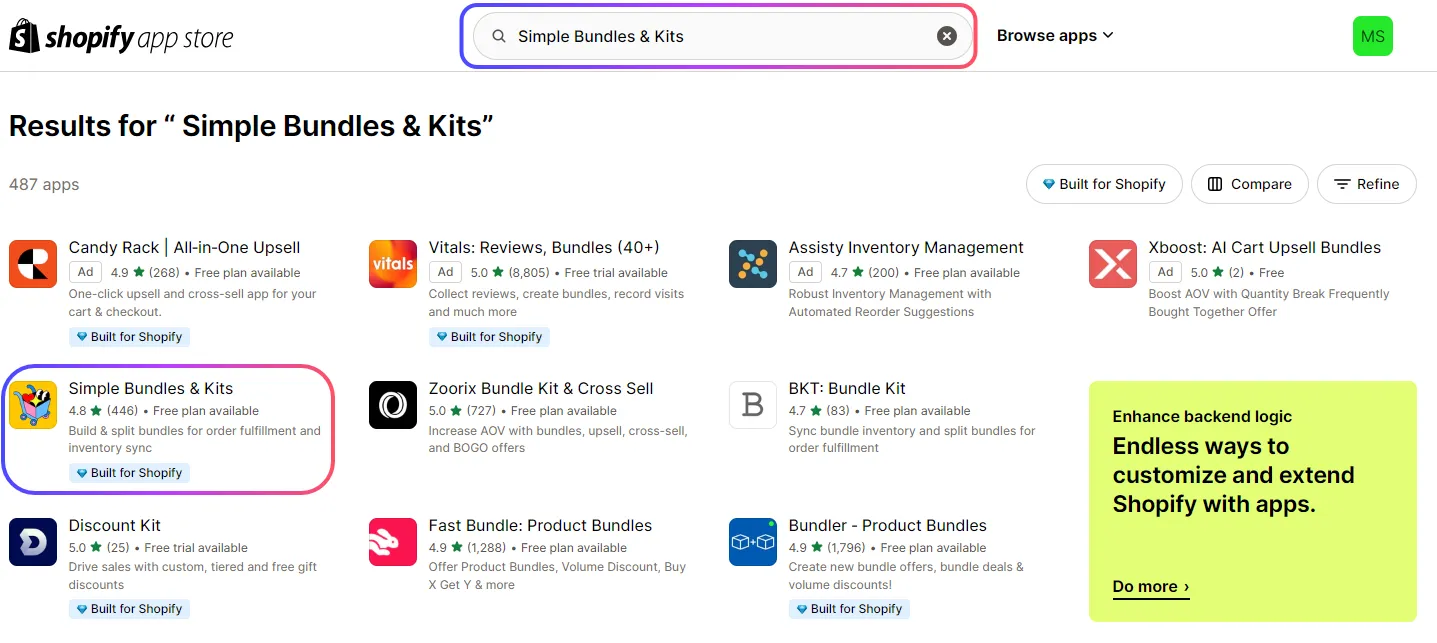
- Visit the Shopify App Store and search for “Simple Bundles & Kits”.
- Install the app to your Shopify store.
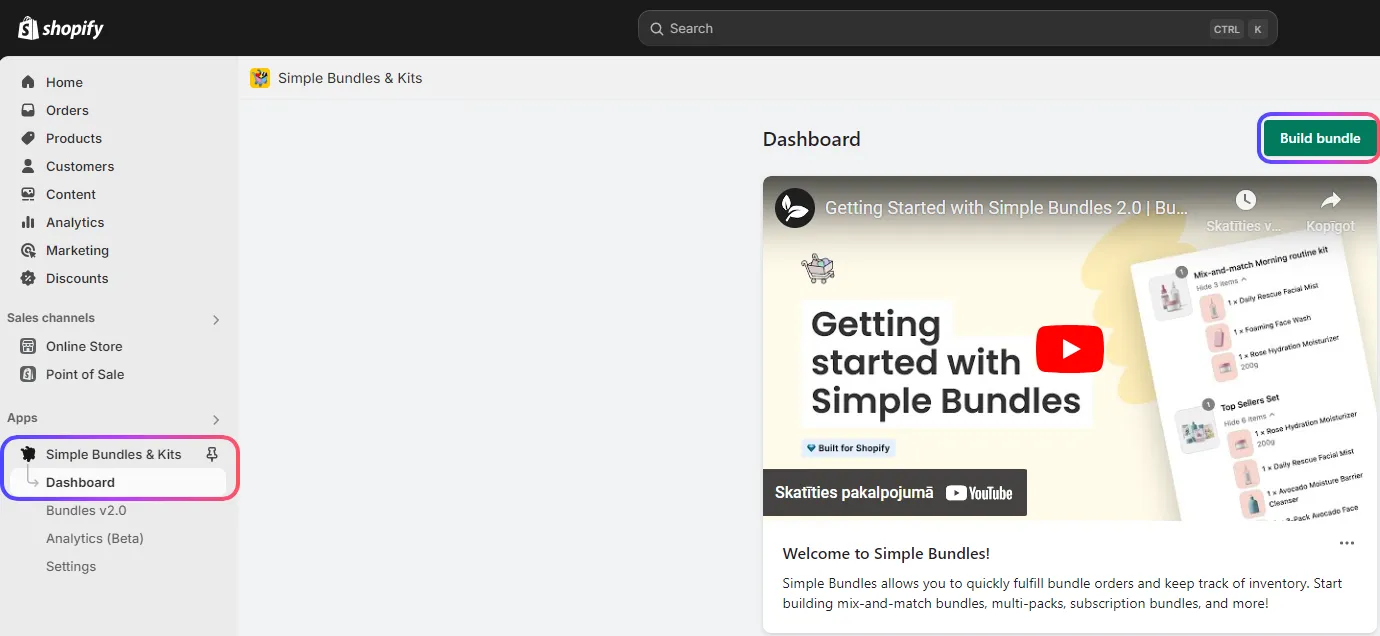
- Open the app from your Shopify admin panel.
Step 2: Building Your Bundle
- In the app, click “Create Bundle”.
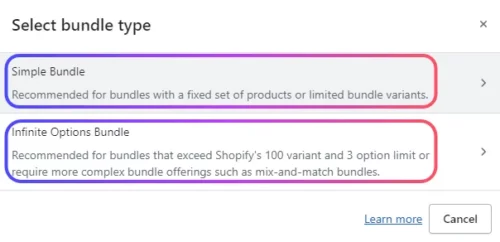
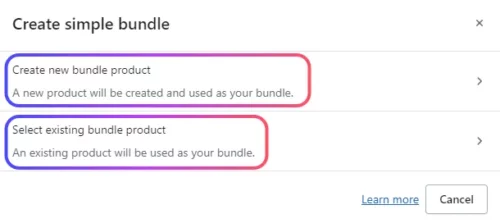
- Choose your bundle type:
- Simple bundle
- Infinite options bundle
- Decide whether to create a new bundle or use an existing product as a base.
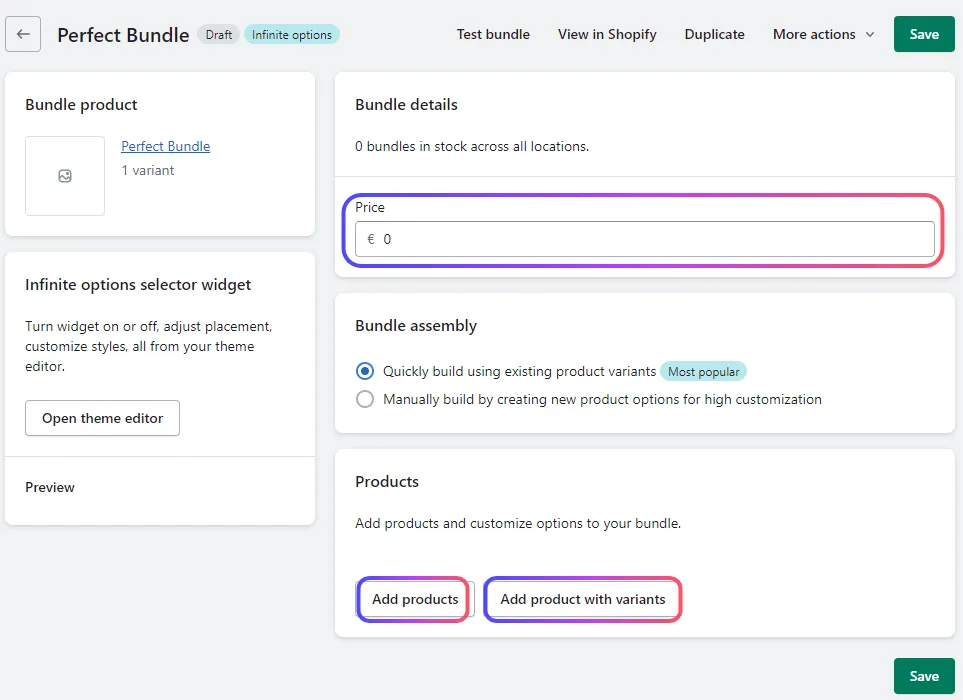
- Add products to your bundle, set the price, and configure any other necessary options.
- Review your bundle setup carefully.
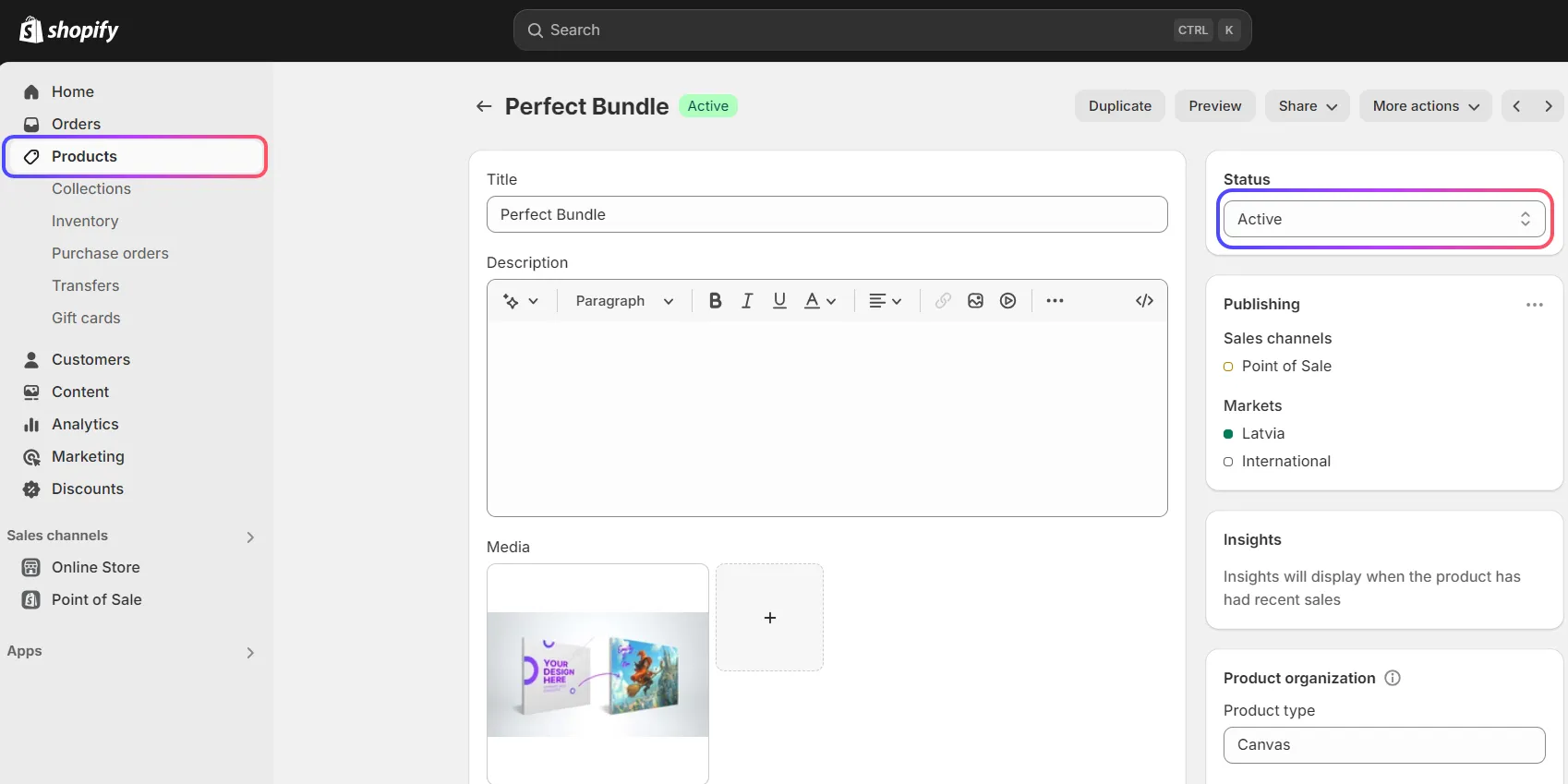
- Save and publish your bundle to make it live in your store.
Step 3: Pricing and Shipping Considerations
When creating bundles, keep these important factors in mind:
- Bundles with Identical Items:
- For multiple units of the same product and size, merchOne applies a standard shipping rate to the first item and a reduced rate for each additional item.
- Example: A bundle of three 20×20 cm canvases might have a €3.99 shipping cost for the first canvas and €0.99 for each additional canvas.
- Mixed Product Bundles:
- If your bundle contains different product types or sizes, each item will be charged its standard shipping rate.
- Example: A bundle with a 20×20 cm canvas and a 30×30 cm canvas will have separate standard shipping costs applied to each item.
Managing Bundle Orders
Once your bundles are live and selling, here’s what to expect:
- Bundle orders will appear in your Shopify admin with individual SKUs for each item in the bundle.
- These orders are then imported to merchOne, where each SKU is processed individually, ensuring precise production and tracking.
Strategies for Effective Bundling
To make the most of your product bundles, consider these strategies:
- Themed Collections: Create bundles around specific themes or occasions, like a “Home Office Makeover” set.
- Best Seller Boost: Pair your most popular items with complementary products to introduce customers to more of your catalog.
- Limited Time Offers: Use bundles in time-sensitive promotions to create urgency.
- Custom Bundles: Allow customers to create their own bundles by choosing a set number of items from a specific category at a discounted rate.
- Gift-Ready Sets: Create pre-made gift bundles for holidays or special occasions, making gift-giving easy for your customers.
Connecting Shopify with merchOne
To ensure smooth integration between your Shopify store and merchOne for bundle fulfillment, follow our detailed guide on connecting Shopify to merchOne.
This integration is crucial for accurate order processing and efficient shipping of your bundled products.
Integrating Bundles into Your Sales Strategy
Product bundling with Shopify and merchOne offers a fantastic opportunity to increase sales, provide value to your customers, and streamline your operations. By following the steps outlined in this guide and experimenting with different bundle strategies, you can find the perfect mix for your store.
Remember to regularly analyze the performance of your bundles and adjust your offerings based on customer feedback and sales data. With the right approach, product bundling can become a key driver of growth for your e-commerce business.
Making the Most of Product Bundles: A Christmas Collection Example
To help you visualize the potential of product bundling, let’s explore a practical example using our Christmas Collection. This festive range includes:
- Christmas Bauble
- Clear Snowflake
- Wooden Snowflake
While each of these items is charming on its own, bundling them creatively can lead to increased sales and customer satisfaction. Let’s focus on how you can create an irresistible family-oriented bundle using the Christmas Baubles.
Creating a “Family Christmas Tree” Bundle
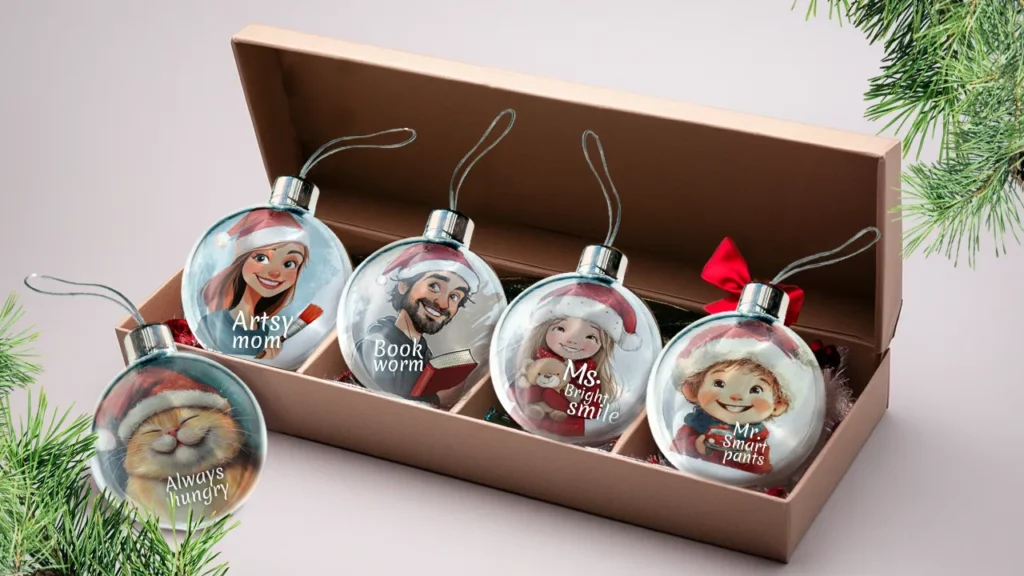
Imagine offering your customers a way to personalize their Christmas tree with a custom bauble for each family member. Here’s how you could set up this bundle:
- Bundle Name: “Family Christmas Tree Decoration Set”
- Bundle Contents:
- 6 Christmas Baubles
- Personalization Options: Allow customers to choose from a list of family member titles for each bauble, such as:
- Mum
- Dad
- Sister
- Brother
- Big Brother
- Little Sister
- Grandma
- Grandpa
- Pet names (e.g., Bunny, Cat, Dog)
- Bundle Description: “Make your Christmas tree a true family affair with our personalized bauble set. This bundle includes 6 beautiful Christmas baubles, each customizable with a family member’s name or title. Create a unique and heartwarming display that celebrates every member of your household — pets included!”
- Product Images: Create a lifestyle image showing a Christmas tree decorated with personalized baubles, highlighting the family aspect.
- Upsell Opportunities:
- Offer an option to add Clear or Wooden Snowflakes to the bundle for an additional cost.
- Provide an option to increase the number of baubles for larger families.
- Marketing Ideas:
- Promote this bundle as a perfect family gift or a thoughtful present for newlyweds celebrating their first Christmas together.
- Create social media posts showcasing different family compositions and their corresponding bauble sets.
- Encourage customers to share photos of their personalized family Christmas trees, creating user-generated content and boosting engagement.
By creating this type of themed, personalized bundle, you’re offering more than just products – you’re providing a family experience and a new holiday tradition. This approach can significantly increase the perceived value of your products and encourage larger purchases.
Remember, understanding your customers’ needs and desires is key to successful bundling. In this case, we’re tapping into the emotional aspect of family togetherness during the holiday season. Apply this thinking to your own product range and customer base to create bundles that resonate and sell.